Think about the last important call you were on. Maybe it was a client pitch, a job interview, or a tense conversation with your team about a missed deadline. Now think about how much of your attention went to typing notes instead of listening to what was actually being said. That split second where you look down to write something and miss the next sentence. That moment where someone asks "did we agree on Thursday or Friday" and nobody remembers because everyone was too busy scribbling.
Lumen was built to fix that exact problem. It is a Mac app that quietly listens during your meetings, keeps track of everything being said, and gives you smart, useful prompts in the moment, so you can put the notebook down and just be present in the conversation.
The Problem With Taking Notes While You Talk
Note taking during a live conversation asks your brain to do two things at once. You have to listen closely enough to understand and respond, and at the same time write down the important parts before you forget them. Most people are not great at doing both well, so something gives. Either your notes are messy and incomplete, or your responses in the meeting feel a beat slow because half your brain is somewhere else.
There is also the problem of what happens after the meeting ends. You close your laptop, move on to the next thing, and by the next morning you can barely remember what was decided, let alone the small details that actually mattered.
What Lumen Actually Does
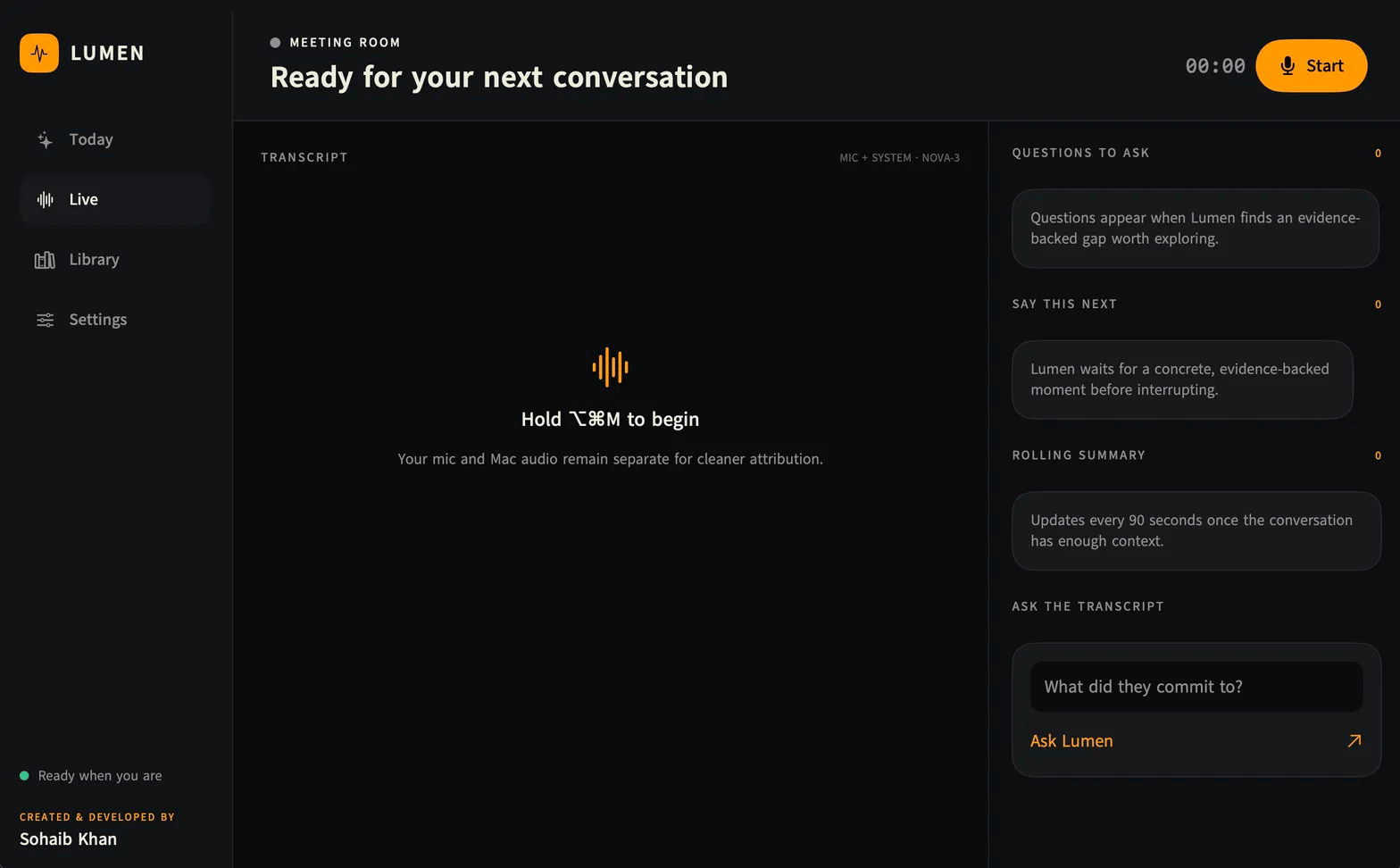
Lumen sits quietly on your Mac and listens to your meeting while it happens. It tells apart your voice from everyone else's voice, so the transcript stays clear about who said what. While the conversation is still going, it watches for moments worth flagging. If there is a good question you should ask, or a point you should push back on, it shows you a short prompt right there on your screen, and it always backs that prompt up with the exact words that were just said, so you are never left wondering where a suggestion came from.
You can tell Lumen ahead of time whether you are running the meeting or attending it, and give it a quick sentence about what the conversation is about. That context shapes the kind of help it gives you. Running a meeting is a different job than sitting in on one, and Lumen treats it that way.
As the conversation runs long, Lumen keeps a short rolling summary updated, so if you get pulled away for a minute or just want a quick refresher, you do not have to ask anyone to repeat themselves.
Once the meeting is done, everything is saved and searchable. If three weeks from now you vaguely remember someone mentioning a budget number but cannot recall which call it was on, you can search for it and find the exact moment. You can also ask the transcript direct questions, like what someone actually agreed to, and get a real answer instead of digging through your own scattered notes.
If you use Obsidian for your notes, Lumen can export a clean, finished summary of the meeting straight into your vault, so it lives alongside everything else you keep track of.
Why This Matters More Than It Sounds Like
The real benefit here is not the transcript itself. Plenty of tools can write down what was said. The real benefit is what you get back once you are not the one responsible for capturing every detail. You get to actually listen. You get to notice the tone in someone's voice, catch a hesitation before they agree to something, or actually think about your next question instead of racing to write down the last one.
It also means nothing important slips through the cracks. Commitments get remembered. Follow up questions actually get asked instead of occurring to you an hour later when it is too late. And when you look back weeks later, you are not relying on a half page of shorthand that made sense at the time but means nothing now.
It Never Joins Your Call as a Bot
A lot of meeting tools work by joining the call as a visible participant, which can feel awkward, especially with clients or people outside your own company who did not agree to being recorded by a third party service. Lumen does not do that. It listens to your microphone and your computer's audio directly from your own Mac, so nobody on the call ever sees a bot join, and nothing is recorded for some separate meeting-bot service to store. To actually understand speech and give you live suggestions, your audio goes to a transcription provider and the conversation text goes to the reasoning provider you choose, since that is what makes real time understanding possible. What stays on your Mac is your finished library, your search history, and your account keys, which are never shared with anyone.
Who Lumen Is For
If your day involves more than a couple of real conversations, whether that is client calls, hiring interviews, team check ins, or negotiations, Lumen is built for you. It is especially useful if you have ever walked out of a meeting and immediately thought "wait, what did we actually decide."
One Important Detail
Lumen is built only for the Mac, specifically Apple Silicon machines running a recent version of macOS. There is no Windows version and no phone app. If you are on a Mac, you are exactly who this was built for.
Try It Yourself
Lumen is free to download right now.
Download it here: https://github.com/sohaibwcws/Lumen-App
Grab the file from the Releases page, open it, and drag Lumen into your Applications folder. The first time you launch it, add your keys in Settings, grant the permissions it asks for, and you are ready to run your next meeting without splitting your attention.
Was this worth your time?